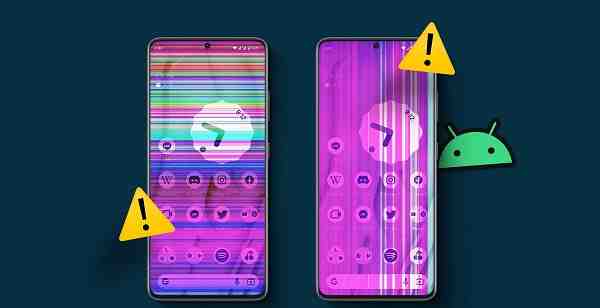
White spots on a phone screen can be annoying and may affect your viewing experience while browsing, watching videos, gaming, or using apps. These bright spots often appear as small white patches, glowing dots, or uneven areas of brightness on the display. While some white spots are caused by software issues, others may indicate physical damage to the screen.
The good news is that not every white spot requires a screen replacement. In this guide, we’ll explain the common causes of white spots on phone screens and the most effective ways to diagnose and fix the problem.

What Causes White Spots on a Phone Screen?
Before attempting any repair, it is important to understand the possible reasons behind the issue.
Common causes include:
- Pressure damage to the display
- LCD backlight problems
- Manufacturing defects
- Screen impact or accidental drops
- Loose internal components
- Overheating
- Software or display glitches
- Battery swelling pushing against the screen
Identifying the cause can help determine whether the problem can be fixed at home or requires professional repair.
Check Whether the White Spot Is a Software Issue
Sometimes display anomalies are caused by temporary software glitches rather than hardware damage.
Restart Your Phone
The first thing you should try is restarting the device.
Steps:
- Turn off the phone completely.
- Wait 30 seconds.
- Turn it back on.
If the white spot disappears, the issue was likely related to a temporary software problem.
Test the Screen on Different Backgrounds
Open images with different colours:
- White background
- Black background
- Red background
- Blue background
- Green background
Observe whether the white spot remains visible.
If the spot appears consistently regardless of the colour displayed, it is likely a hardware-related issue.
Remove the Screen Protector
In some cases, a damaged or poorly installed screen protector can create the appearance of white spots.
To check:
- Remove the screen protector carefully.
- Clean the screen.
- Inspect the display again.
If the spot disappears, replacing the screen protector may solve the problem.
Check for Pressure Damage
One of the most common causes of white spots is pressure applied to the screen.
Pressure damage may occur when:
- The phone is sat on accidentally.
- Heavy objects are placed on it.
- The device is carried in a tight pocket.
- Excessive force is used during repairs.
Pressure can affect the LCD layers and create bright spots that remain visible permanently.
Unfortunately, pressure damage often requires screen replacement.
Update Your Phone Software
Although less common, software bugs can occasionally cause display issues.
On Android
- Open Settings.
- Select System Update or Software Update.
- Check for updates.
- Install any available updates.
On iPhone
- Open Settings.
- Tap General.
- Select Software Update.
- Install the latest version if available.
After updating, restart the phone and check the screen again.
Check for Battery Swelling
A swollen battery can push against the display from inside the phone and create bright spots.
Warning signs include:
- Screen lifting from the frame
- Reduced battery life
- Overheating
- Bulging back panel
If you suspect battery swelling:
- Stop using the phone immediately.
- Do not attempt to puncture the battery.
- Visit a professional repair center.
Battery swelling can become a serious safety hazard if ignored.
Inspect for Physical Damage
Examine the phone carefully under good lighting.
Look for:
- Cracks
- Dents
- Impact marks
- Screen separation
Even if there are no visible cracks, an internal display layer may have been damaged during a drop.
Internal LCD damage frequently causes white spots and uneven brightness.
Reduce Screen Brightness
If the white spot becomes more noticeable at maximum brightness, reducing the brightness level may temporarily make it less visible.
While this does not fix the problem, it can improve usability until a permanent solution is available.
Perform a Safe Mode Test
Third-party applications occasionally interfere with display performance.
Android Users
Boot the device into Safe Mode and check whether the white spot remains visible.
If the issue disappears in Safe Mode, an installed application may be contributing to the problem.
You can then uninstall recently added apps to identify the cause.
When Screen Replacement Is Necessary
If the white spot is caused by:
- LCD damage
- Pressure damage
- Backlight defects
- Internal display separation
the only permanent solution is usually screen replacement.
Modern smartphone displays are highly integrated, making component-level repairs difficult and often uneconomical.
When to Seek Professional Repair
Consider professional assistance if:
- The white spot is growing larger.
- Multiple spots appear.
- Touch functionality is affected.
- The screen flickers.
- The phone was recently dropped.
- Battery swelling is suspected.
A qualified technician can determine whether the issue involves the display, battery, or another internal component.
Tips to Prevent White Spots on Phone Screens
You can reduce the risk of display damage by following these simple precautions:
- Use a quality protective case.
- Install a tempered glass screen protector.
- Avoid placing heavy objects on the phone.
- Keep the device away from extreme heat.
- Handle the phone carefully.
- Avoid sitting on the device when it is in your pocket.
Preventive care is often much cheaper than display replacement.
Conclusion
White spots on a phone screen can result from software glitches, pressure damage, LCD defects, physical impact, or battery swelling. While simple fixes such as restarting the phone, updating software, or removing the screen protector may resolve minor issues, hardware-related white spots often require professional repair or screen replacement. Identifying the cause early can help prevent further damage and ensure your phone remains functional and safe to use. If the spot continues to grow or affects the display experience significantly, consulting a repair professional is the best course of action.
FAQs
Q: What causes white spots on a phone screen?
A: White spots are commonly caused by pressure damage, LCD backlight issues, physical impacts, battery swelling, or manufacturing defects.
Q: Can white spots on a phone screen disappear on their own?
A: Software-related spots may disappear after a restart or update, but hardware-related white spots usually remain permanent.
Q: Is a white spot on the screen dangerous?
A: The spot itself is not dangerous, but if it is caused by battery swelling, immediate professional inspection is recommended.
Q: Can a screen protector cause white spots?
A: In some cases, a damaged or improperly installed screen protector can create the appearance of white spots.
Q: Do I need to replace the screen to fix white spots?
A: If the issue is caused by LCD or backlight damage, screen replacement is typically the only permanent solution.